TATA DLT Portal Guide

How To Add Telemarketer In TATA DLT For PE-TM Binding Chain

If you are registered as a Principal Entity on the TATA Tele DLT platform, follow this comprehensive guide to securely map your telemarketer and comply with TRAI's mandatory PE-TM binding chain regulations.

✓ TATA Network ✓ Mandatory Compliance ✓ TCCCPR 2018 ✓ DLT Traceability

Quick Answer (TL;DR)

To create a PE-TM mapping chain on the TATA Tele DLT portal, log in and go to Manage Telemarketer Relationship, then click Create New Chain request. Enter Telemarketer ID 1702157373640103575 (SMSINDIAHUB) and click Submit. Once submitted, email info@smsindiahub.in for our approval, then log back into TATA DLT to grant final approval.
Regulatory Compliance

What is the Approval Process for the PE-TM Chain on TATA?

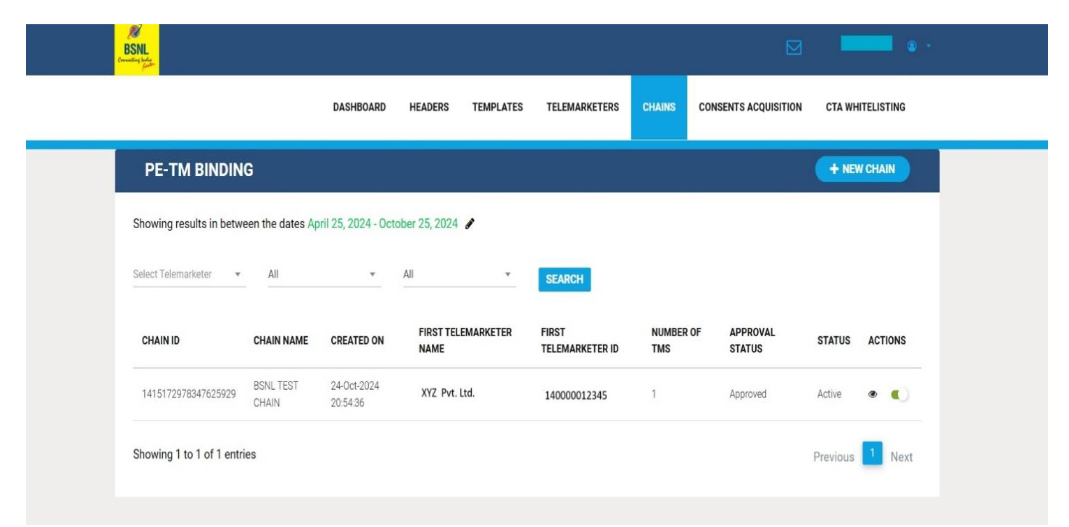
Once the entire PE-TM > TM > TM > TMD chain is defined within the portal, both the Telemarketer (TM) and Telemarketer Distributor (TMD) must systematically approve the chain to ensure compliance with TRAI regulations.

Two-Step Verification

The process requires initial submission by the Principal Entity, followed by TM approval, and finalized by a secondary approval from the Principal Entity.

Support Assistance

If you encounter any issues during this TATA DLT process, feel free to contact the SMS INDIA HUB support team for immediate assistance.

Tutorial Workflow

How To Add Telemarketer in TATA DLT

Follow these exact steps within your Tata Tele DLT portal dashboard to successfully establish your Principal Entity to Telemarketer mapping.

  1. Login to Tata Tele DLT portal

    Securely access your TATA DLT account using your registered Principal Entity credentials.

  2. Manage Telemarketer Relationship

    On your dashboard, locate and click on the “Manage Telemarketer Relationship” tab.

    Navigate to Telemarketer Relationship in DLT Portal
  3. Create New Chain

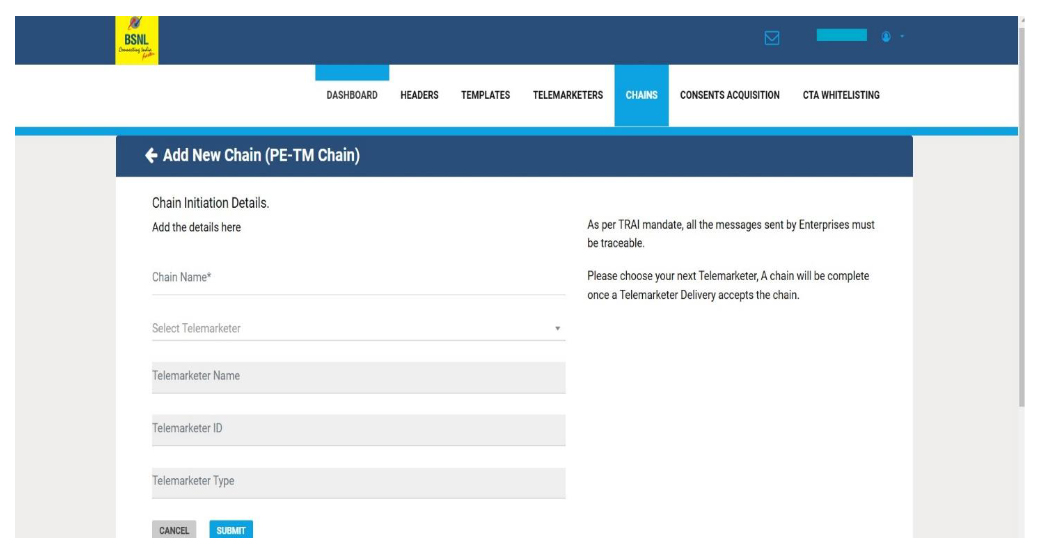
    Select the option to “Create New Chain request” to initiate the mapping process.

  4. Enter the Telemarketer ID

    Enter the official SMSINDIAHUB Telemarketer ID in the search or mapping field:

    1702157373640103575

    Note: The telemarketer’s name will automatically show up as SMSINDIAHUB. Click Submit.

    Enter Telemarketer ID 1702157373640103575 in TATA Portal
  5. Finalize the Approval (Phase 2)

    Once you have successfully submitted the request, you must complete the final verification process to fully bind the chain:

    1

    Request TM Approval

    Email info@smsindiahub.in informing us to approve your request on our end of the DLT portal.

    2

    Final PE Verification

    After our team confirms the approval, log back into your TATA Tele DLT portal and permanently approve the active chain.

ACCELERATE YOUR PIPELINE

Convinced? Confused? Have Ideas?

Want to see how SMSINDIAHUB can Help Your Business Achieve the Next Phase of Growth?

Instant API & DLT Activation
99.99% Guaranteed SLA
Free Demo
24/7 Dedicated Support
Get in Touch With Us

Quick setup • Free trial credits • Dedicated manager

Whatsapp chat